Create a Blank PDF
Create blank PDF →Quick start creates one A4 portrait page. To choose another standard size, landscape orientation or custom dimensions, use the size options on the home page. After creation, the same editor lets you add pages, text, images or signatures. Save the resulting PDF to your device; the browser working copy is not a backup.
Working copies can remain in this browser after closing a document. They are not a backup: browser cleanup or storage limits can remove them. Save important PDFs to your device.
How to
- Pick size and orientation. Choose the page size (A4, Letter, etc.) and orientation (portrait or landscape).
- Add pages. Add as many blank pages as you need to build your document.
- Edit and download. Write, draw, sign and save the PDF to your device with one click.
Choose the right method
Quick start creates one A4 portrait page. To choose another standard size, landscape orientation or custom dimensions, use the size options on the home page. After creation, the same editor lets you add pages, text, images or signatures. Save the resulting PDF to your device; the browser working copy is not a backup.
The existing Haven PDF editor
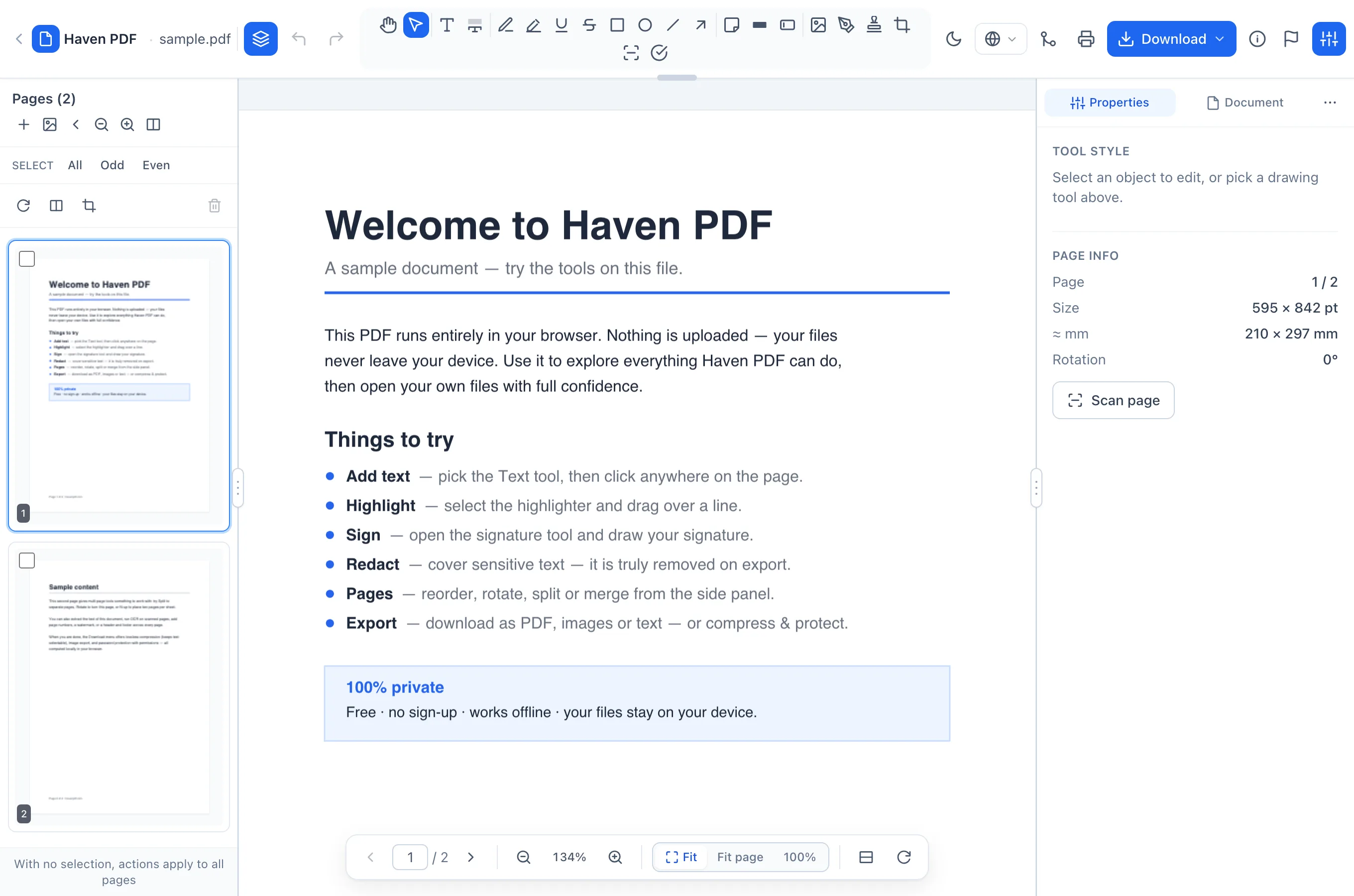
Local working copies
Working copies can remain in this browser after closing a document. They are not a backup: browser cleanup or storage limits can remove them. Save important PDFs to your device.
Frequently asked questions
- Choose the right method
- Quick start creates one A4 portrait page. To choose another standard size, landscape orientation or custom dimensions, use the size options on the home page. After creation, the same editor lets you add pages, text, images or signatures. Save the resulting PDF to your device; the browser working copy is not a backup.
- Local working copies
- Working copies can remain in this browser after closing a document. They are not a backup: browser cleanup or storage limits can remove them. Save important PDFs to your device.
- Site analytics
- Haven Analytics measures visits and actions using IP addresses, visited URLs, referrers and device information. Document contents are not sent to analytics. Site measurement is separate from local PDF processing.